Save any recipe
in one tap.
From Instagram, TikTok, YouTube or anywhere else — Drop Recipe turns it into clean, structured steps you can actually cook from.
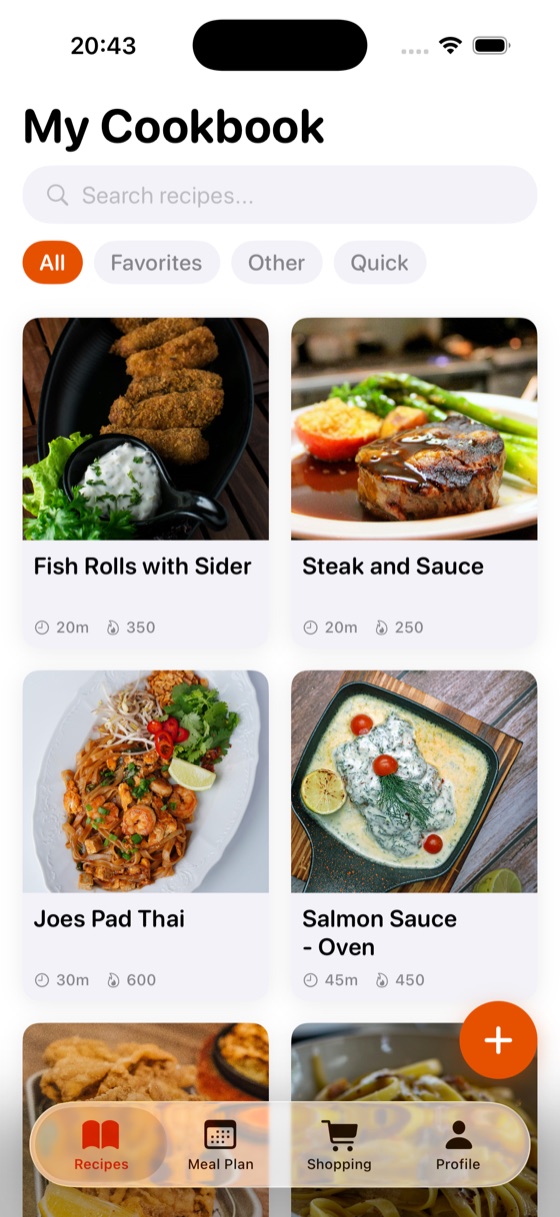
Built for the way you find recipes
From a video you scrolled past to a page from grandma's cookbook — it all goes in one place.
Save from anywhere
Tap Share on any link — Instagram, TikTok, YouTube or any recipe site — and it lands in your collection.
Scan photos & paper
Snap a cookbook page or a screenshot and Drop Recipe reads the ingredients and steps for you.
AI recipe generation
Tell it what's in your fridge and your mood — get a complete recipe built around what you have.
AI meal planner
Plan My Week fills your whole week in one tap — your saved recipes first, new ideas for the gaps, macros included.
Smart shopping list
Turn any recipe's ingredients into a checklist with a single tap.
Private iCloud sync
Your recipes stay on your device and sync privately across all your Apple devices.
See it in action
Organise your cookbook, plan the week, build your shopping list, or let AI cook something up.
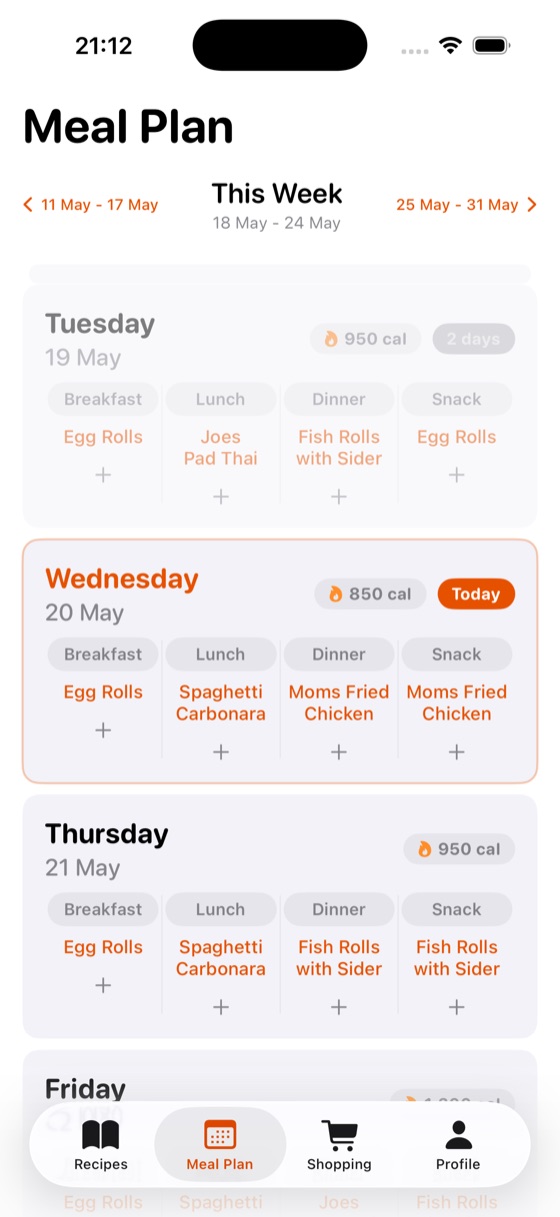 Plan your weekDrag recipes into a meal plan
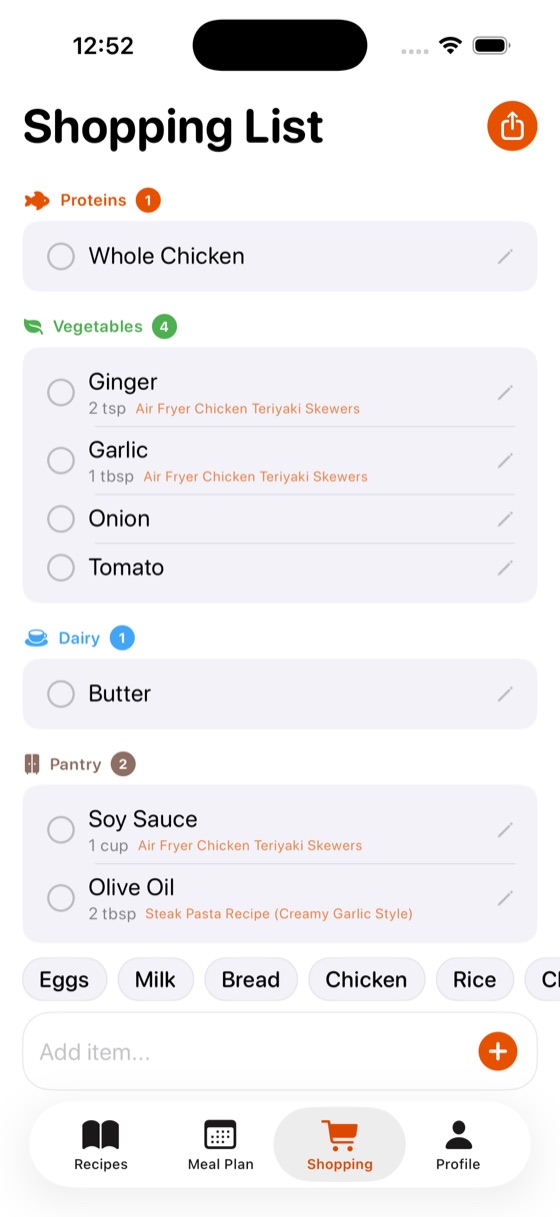 Shop smarterAuto-grouped shopping list
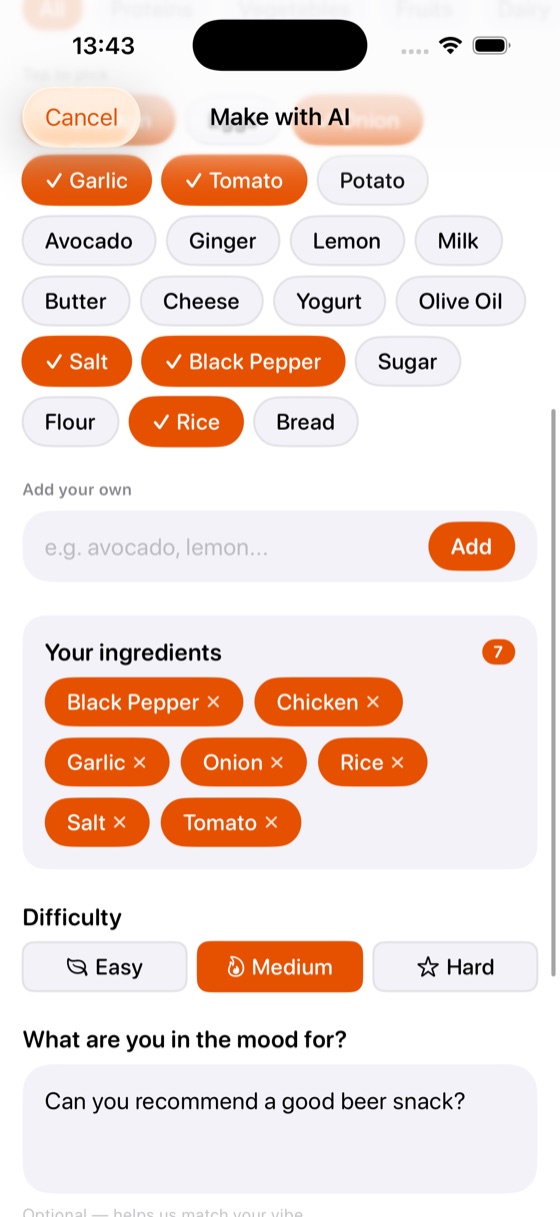 Cook with AIA recipe from what you have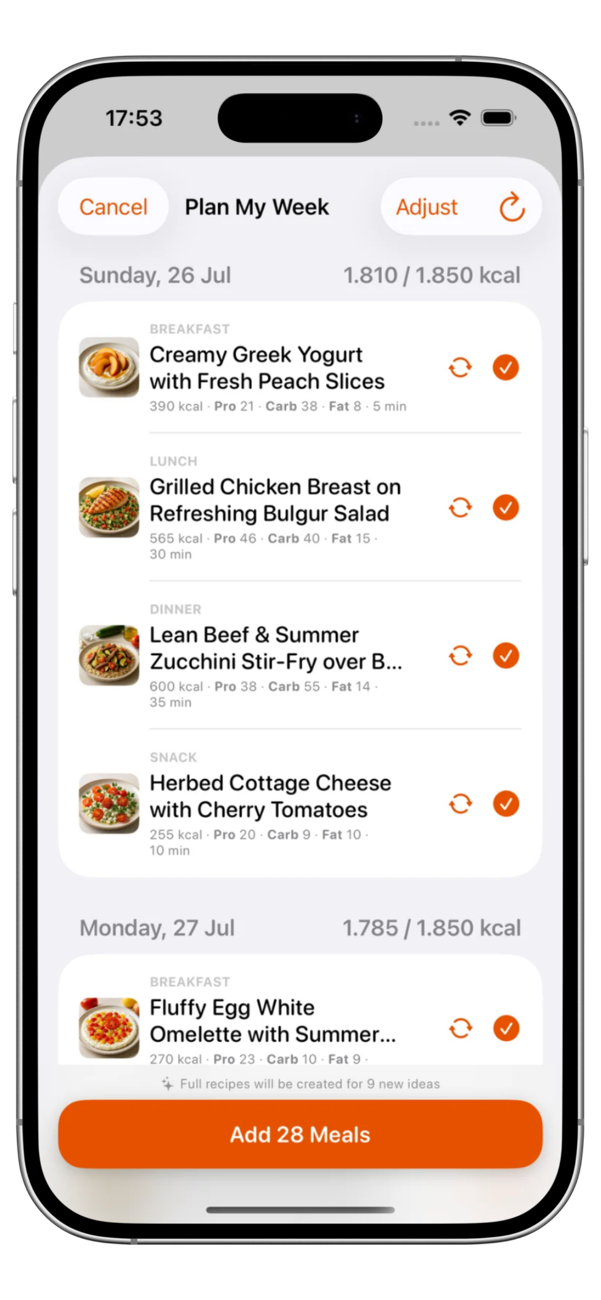
Your whole week, planned by AI
One tap fills every breakfast, lunch, dinner and snack for the week — starting from the recipes you already saved, with fresh ideas for the gaps.
- ✓Hits your calorie goal. Every day is balanced against your target, with protein, carbs and fat shown per meal.
- ✓Swap or reroll anything. Don't like a suggestion? Reroll it, or swap in one of your own recipes.
- ✓Add 28 meals in one tap. Full recipes are created for new ideas and everything lands in your meal plan.
How it works
No accounts to set up. No copy-pasting. Just share and cook.
Find a recipe
Spot something tasty on Instagram, TikTok, YouTube or any website.
Tap Share → Drop Recipe
Use the iOS share sheet and pick Drop Recipe. No copy-paste, no retyping.
Saved & ready to cook
It's parsed into clean ingredients and steps — with timers, a shopping list and your meal plan.
Frequently asked questions
Everything you need to know about saving and organising recipes with Drop Recipe.
How do I save a recipe from Instagram or TikTok?
Open the recipe post or video, tap the Share icon, and choose Drop Recipe from the iOS share sheet. Drop Recipe reads the caption and video, then saves clean ingredients and steps to your collection — no copy-pasting.
Is Drop Recipe free?
Yes. Drop Recipe is free to download on the App Store and free to save and organise your recipes. An optional Pro subscription unlocks extra AI features, but the core recipe-saving experience is free.
Which sites and apps does Drop Recipe work with?
Instagram, TikTok, YouTube and virtually any recipe website. You can also scan a cookbook page or import a screenshot, and Drop Recipe reads the ingredients and steps for you.
Do I need to create an account?
No. There is no sign-up and no login. Your recipes are stored on your device and sync privately through your own iCloud across your Apple devices.
Does Drop Recipe track me or sell my data?
No. Drop Recipe has no ads, no tracking SDKs and no cross-app tracking. Your recipe library stays on your device and in your private iCloud — we never see it.
Can Drop Recipe build a shopping list and meal plan?
Yes. Turn any recipe's ingredients into a checklist with one tap. With Plan My Week, AI fills your entire week — breakfast, lunch, dinner and snacks — using your saved recipes first and creating new ones for the gaps, with calories and macros for every meal.
Is there an Android version?
Drop Recipe is on iPhone today. An Android version is on its way to Google Play.
Start your recipe collection
Free to download. Your recipes, organised and always with you.